
Managing Existing Users
Administrators can manage existing users through the User Management page, including updating user information, changing assigned roles, and managing account access.
1. Editing User Information
To update an existing user:
- Log in to the Ayoconnect Merchant Dashboard.
- Navigate to Settings (Pengaturan) → User Management (Manajemen Pengguna).
- Select the relevant product from the Product dropdown.
- Find the user you want to update and click the Edit (pencil icon) under the Action column.
- Update the available user information or assigned role.
- Click Save (Simpan) to apply the changes.
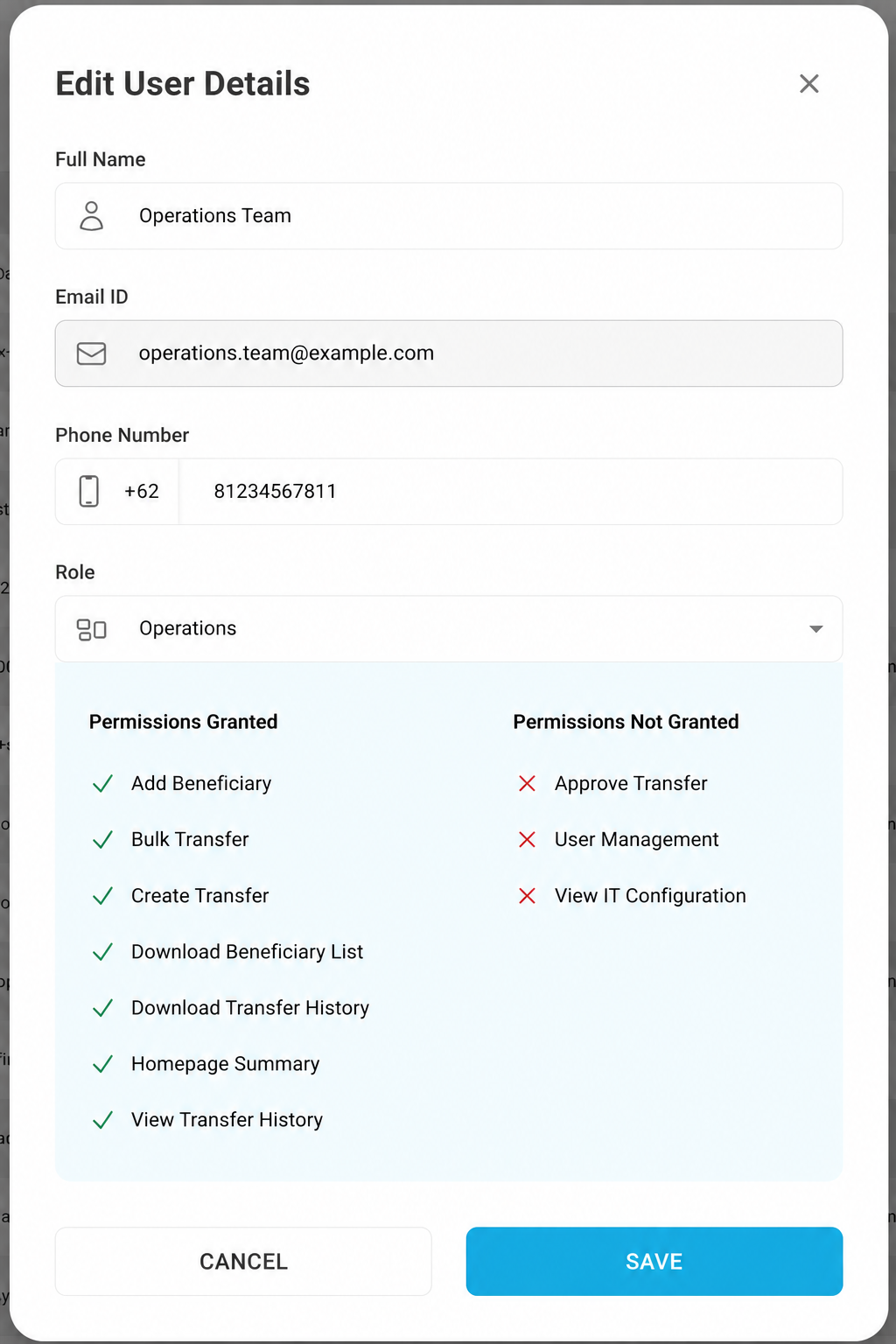
Screenshot - Edit User Details
2. Updating User Roles
Administrators can change a user's assigned role based on their responsibilities.
To update a role:
- Open the user's Edit User Details form.
- Select the appropriate role from the Role (Peran) dropdown.
- Review the permissions displayed for the selected role:
- Permissions Granted (Izin Diberikan): Actions the user is allowed to perform.
- Permissions Not Granted (Izin Tidak Diberikan): Actions the user cannot perform.
- Click Save (Simpan) to confirm the changes.
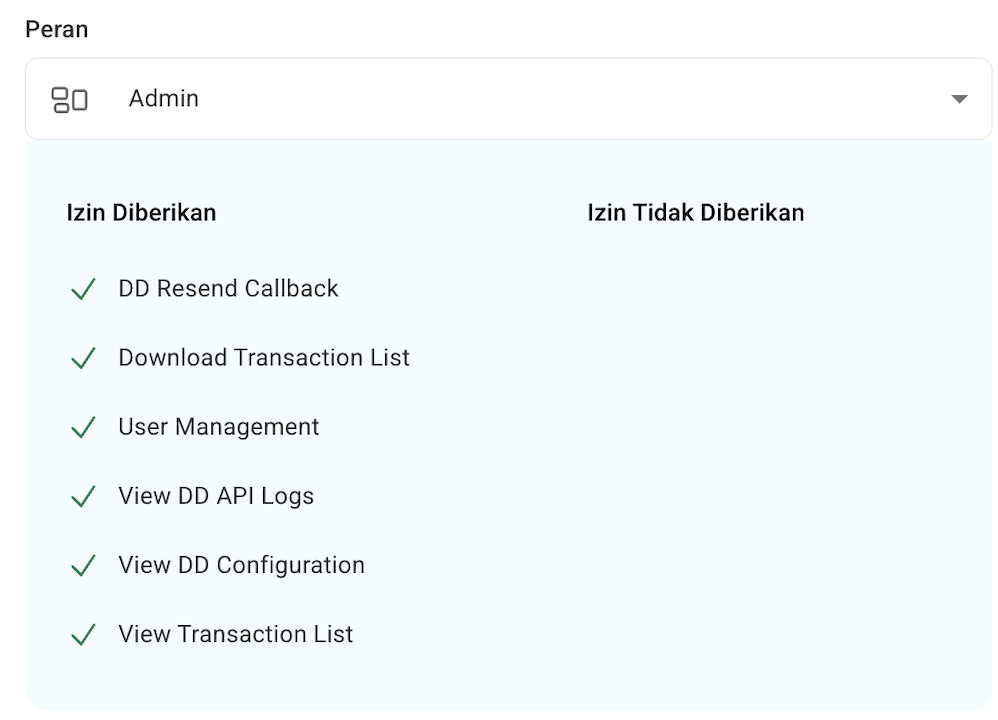
Screenshot - User Role Selection
Important: Changing a user's role will update their access permissions according to the selected role.
3. Managing User Access
Administrators can enable or disable user access using the toggle button in the Action column.
- Enabled: The user's access is enabled.
- Disabled: The user's access is disabled.
The User Management page also displays the user's activation status, such as Active or Pending Activation.
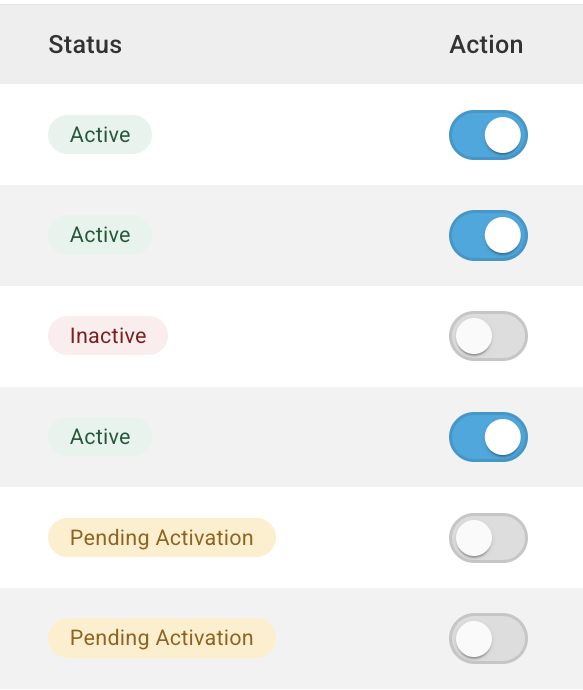
Screenshot - User Access Toggle
Important Notes
- Only users with the Administrator role can manage user accounts.
- User roles and permissions are managed according to the selected product.
- Always review the permissions before changing a user's role.
- For Bulk Disbursement, Operations acts as Maker and Finance acts as Checker.
- Disable access when a user no longer requires access to the Merchant Dashboard.
Updated about 2 hours ago
Did this page help you?