
API Flows
Flows
There is 4 main flows that you can perform using Ayoconnect's Direct Debit Solution:
| Flow | Details |
|---|---|
| Binding | Bind your customer's bank account |
| Payment | Process a payment request for a binded bank account |
| Unbinding | Unbind your customer's binded bank account |
| Refund | Refund a successful payment transaction |
Idempotency
To perform an idempotent request, provide a unique X-EXTERNAL-ID value in the request headers.
Binding Flow
APIs part of this flow:
- Generate B2B Access Token API
- Account Binding API
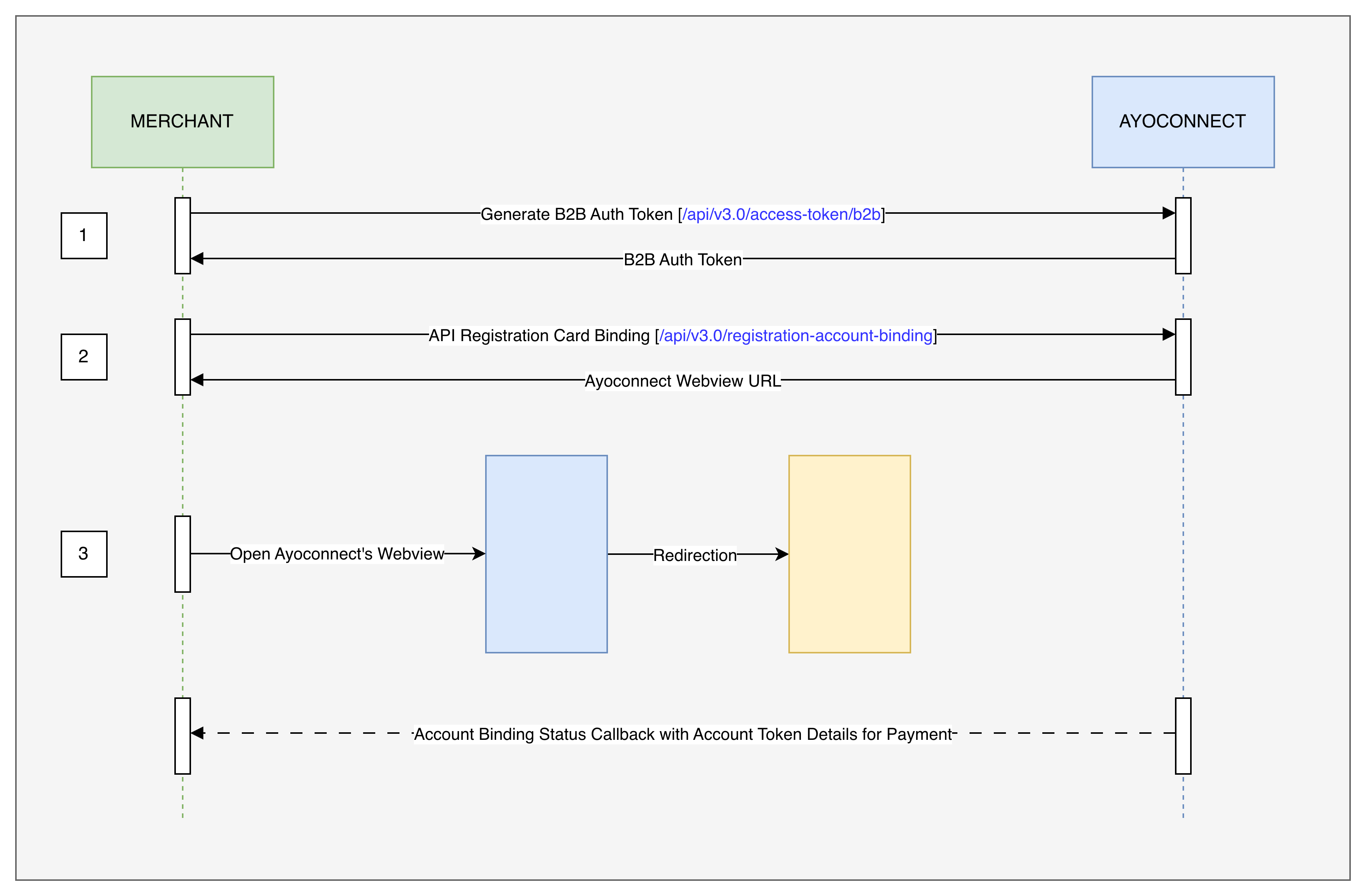
Partners can follow the below steps to perform a Card Binding:
- Generate a B2B token by calling the Generate B2B Access Token API.
- With the newly generated B2B token, call the Account Binding API
- Open the webview UR returned and the bank selection screen will open. Follow the steps mentioned in the UI and complete the Account Binding process. After a successful Account Binding, a callback with the account status will be sent to the registered callback URL. In case of any issue during the Account Binding, a callback will be sent and the client is redirected back to the client app for the failure screen.
- If the callback isn't received, or you want to reconfirm that the account has been properly bound, you can call the Account Binding Inquiry API with the Public User ID returned in the previous steps to get the list of
accountTokenand other details of the account that has been successfully binded to the user , which can be directly used for payments. - The default binding session (during webview) has an expiration time of 3 minutes. This value is configurable from Ayoconnect side based on your business preferences. However we generally do not recommend having session expiration time more than 60 minutes.
Payment Flow
APIs part of this flow:
- Generate B2B Access Token API
- Generate B2B2C Customer Authorization Token API
- Direct Debit Payment API
- Verify OTP API (only in case of payments that require OTP)
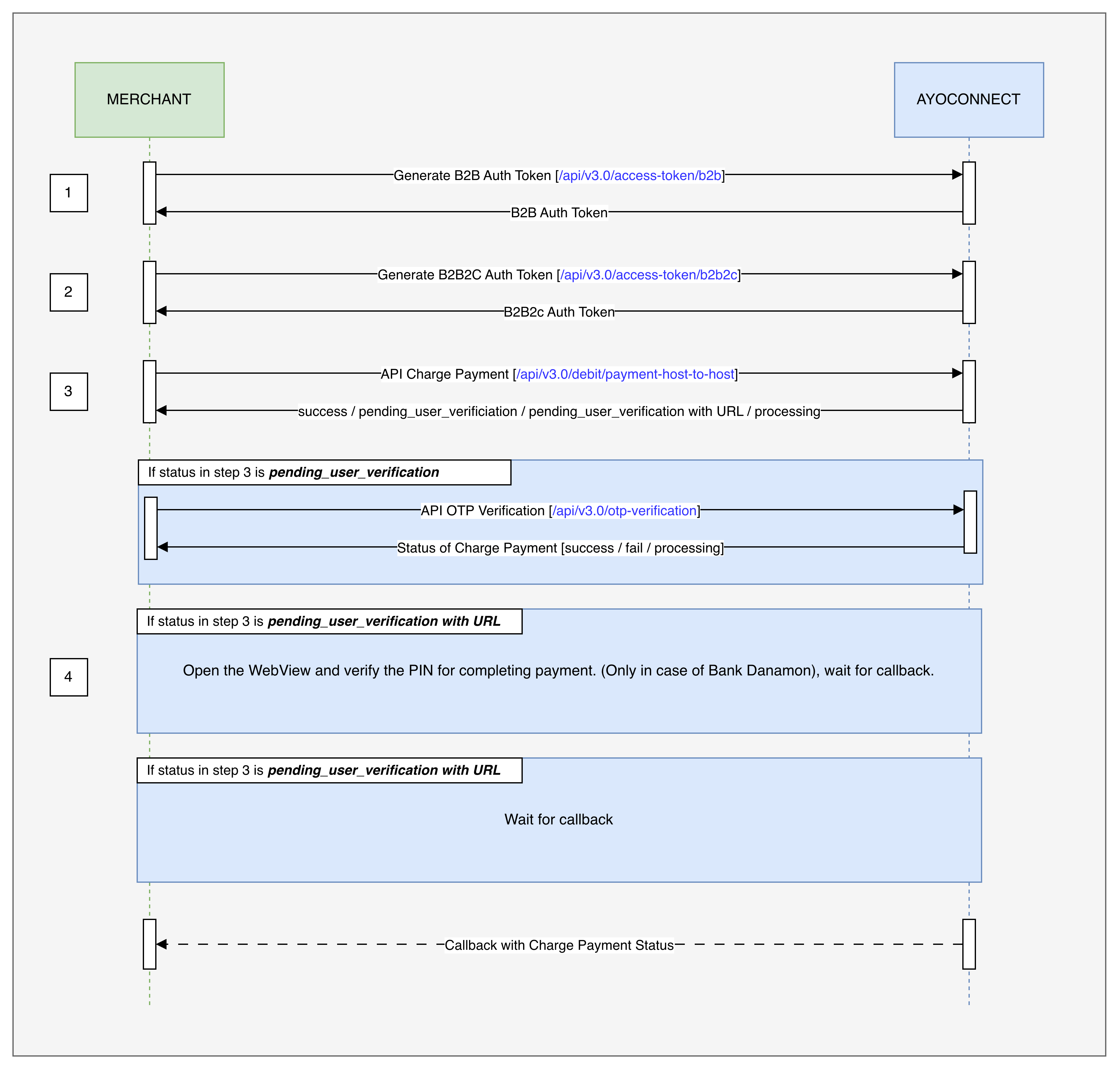
NOTE: Before you start with this flow, you will need to generate a new value for the X-EXTERNAL-ID header. Don't reuse the same value in different flows.
Partners can follow the below steps to perform a Payment:
- Generate a B2B token by calling the Generate B2B Access Token API.
- Generate a B2B2C token by calling the Generate B2B2C Customer Authorization Token API.
- Use the B2B and B2B2C tokens to generate the request to the Direct Debit Payment API.
- B2B2C API request will have mandatory parameter authCode which partners can populate using the same authCode that is used for the successful binding.
- In case of a payment with OTP, a new call to the Verify OTP API will be required.
- After a payment, a callback should be received by the partners with the status.
- If the callback isn't received, or you want to reconfirm that the payment has been properly confirmed, you can call the Get the Status of a transaction API with the same referenceNo returned in the Direct Debit Payment API response
Unbinding Flow
APIs part of this flow:
- Generate B2B Access Token API
- Generate B2B2C Customer Authorization Token API
- Account Unbinding API
- Verify OTP API
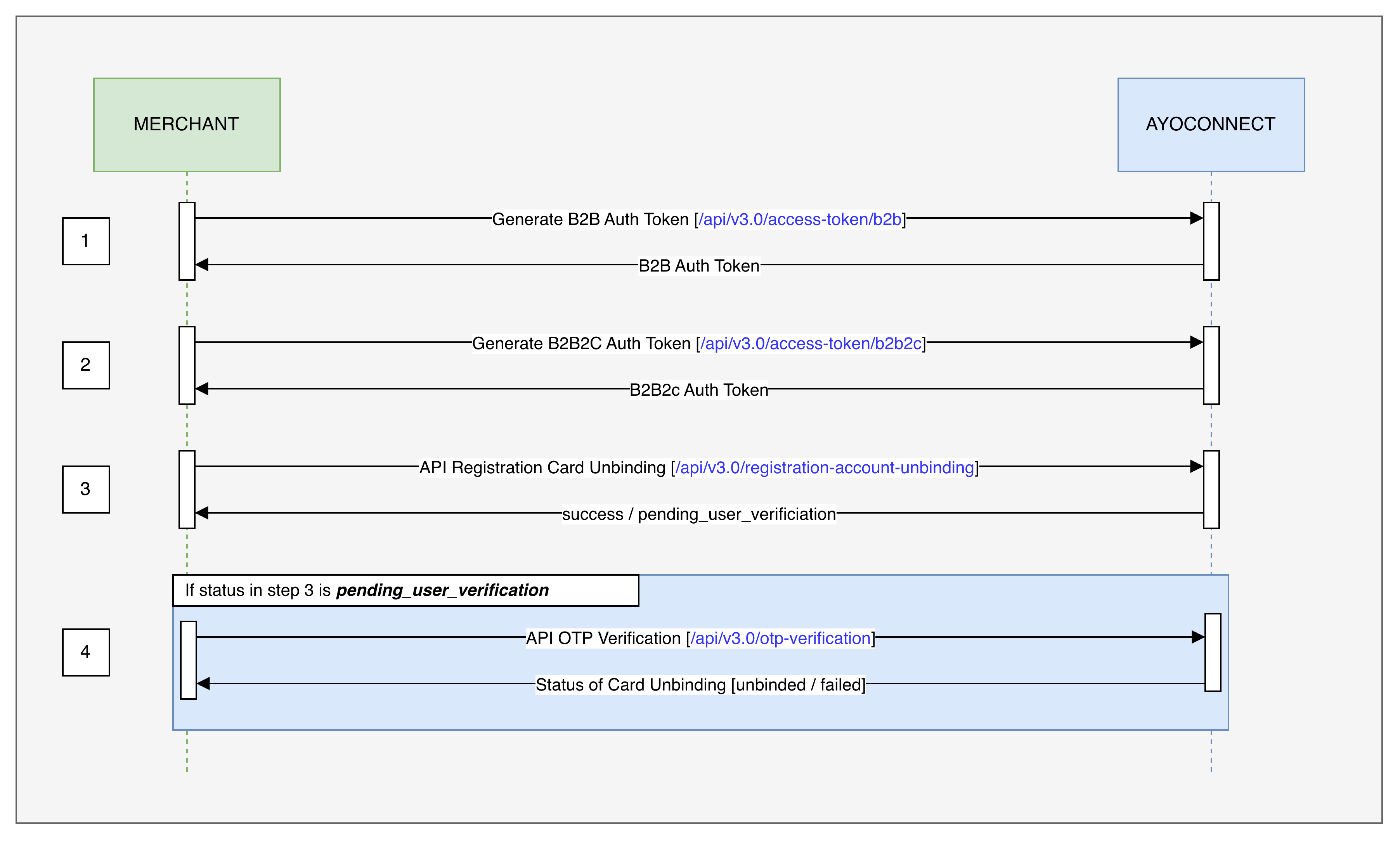
NOTE: Before you start with this flow, you will need to generate a new value for the X-EXTERNAL-ID header. Don't reuse the same value in different flows.
Partners can follow the below steps to perform the Card Unbinding:
- Generate a B2B token by calling the Generate B2B Access Token API.
- Generate a B2B2C token by calling the Generate B2B2C Customer Authorization Token API.
- Use the B2B and B2B2C tokens to generate the request to the Account Unbinding API.
- In case of a Card Unbinding with OTP, a new call to the Verify OTP API will be required.
Refund Flow
APIs part of this flow:
- Generate B2B Access Token API
- Generate B2B2C Customer Authorization Token API
- Payment Refund API
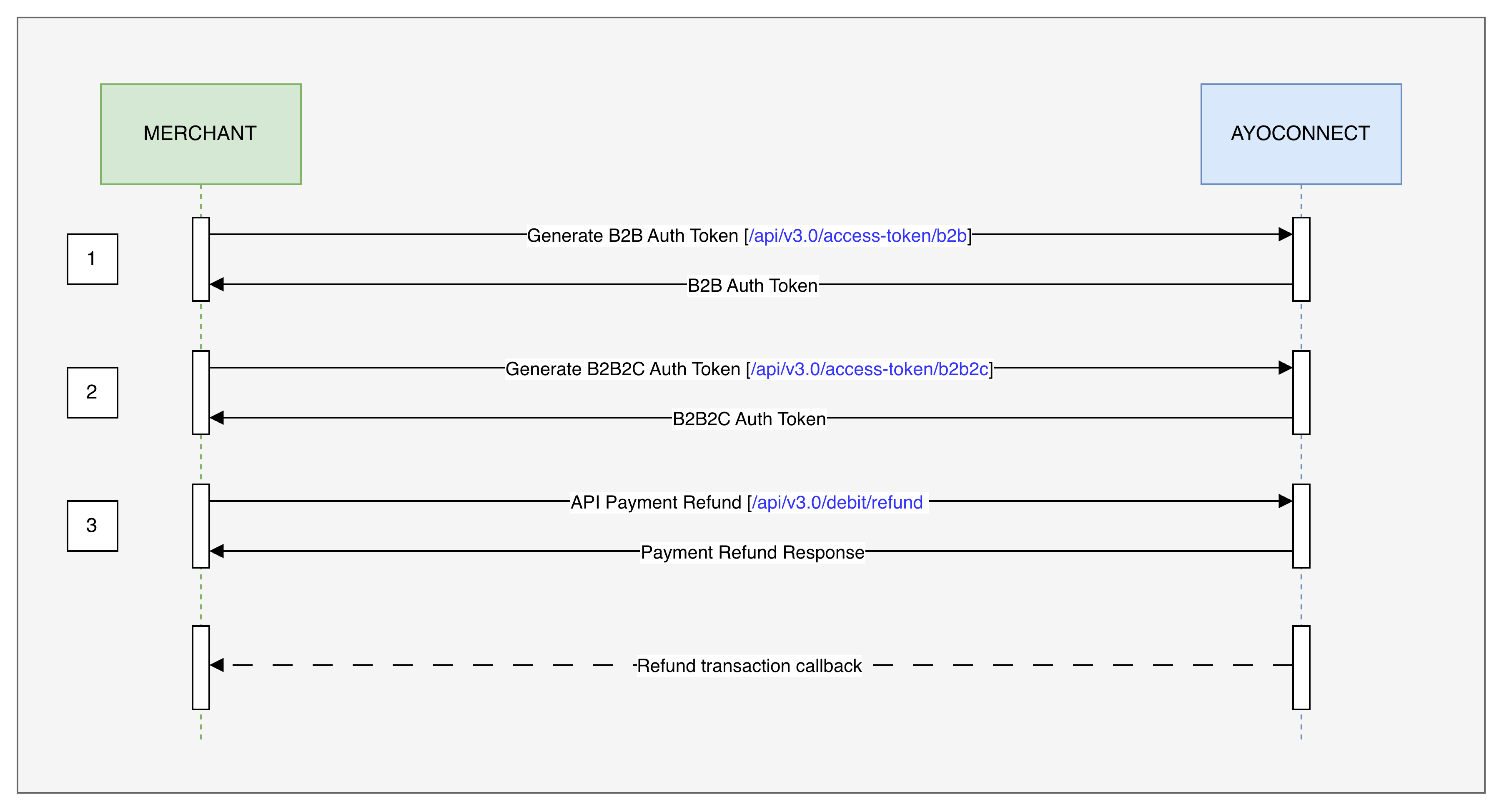
NOTE: Before you start with this flow, you will need to generate a new value for the X-EXTERNAL-ID header. Don't reuse the same value in different flows.
Partners can follow the below steps to perform the Refund:
- Generate a B2B token by calling the Generate B2B Access Token API.
- Generate a B2B2C token by calling the Generate B2B2C Customer Authorization Token API.
- Use the B2B and B2B2C tokens to generate the request to the Account Unbinding API.
- The API will return an immediate response:
- 2005800 response code indicates that the refund request was successfully accepted.
- If 50058xx response code is received, the refund is being processed. After a few minutes, you may need to check the refund status by calling the Payment Status API. When the refund is completed, the
transactionStatusDescwill show Refunded. - If 4xx response code is received, the refund request has failed and you may retry the request.
Updated 10 months ago